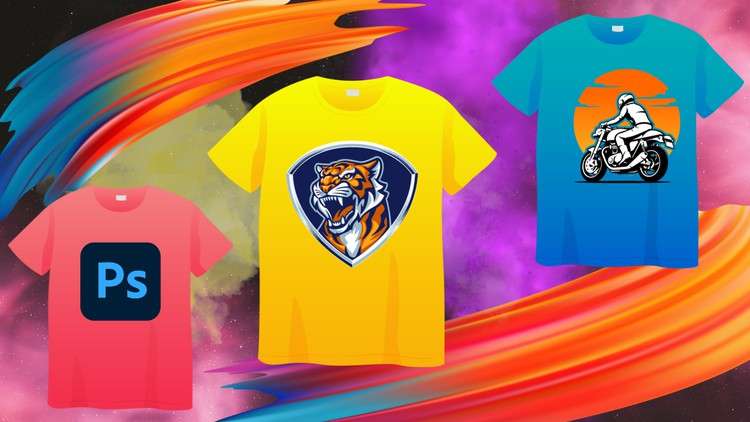
Photoshop for T-Shirt Design: A Beginner-Friendly Guide to Creating Stunning Designs
What you will learn
Master the Essentials of Photoshop
Explore Design Principles
Conceptualize and Sketch Your Designs
Harness Photoshop’s Power
Create Distressed and Vintage Looks
Master Realistic Textures
Optimize Designs for Print
Industry Insights and Tips
Description
Embark on a comprehensive journey to master the art of T-Shirt design using Adobe Photoshop, from the fundamentals to advanced techniques. Whether you’re a complete beginner or seeking to refine your skills, this course caters to all levels of expertise.
What You’ll Learn:
- Master the Essentials of Photoshop: Gain a thorough understanding of Photoshop’s interface, tools, and functionalities, enabling you to navigate the software with ease.
- Explore Design Principles: Delve into the fundamental principles of design, including color theory, typography, composition, and balance, empowering you to create visually appealing and effective T-Shirt designs.
- Conceptualize and Sketch Your Designs: Learn how to transform your creative ideas into tangible concepts and translate them into effective sketches, laying the groundwork for your T-Shirt designs.
- Harness Photoshop’s Power: Utilize Photoshop’s extensive features to bring your designs to life. Master techniques such as layer management, selection tools, masking, and adjustments to create professional-looking T-Shirts.
- Create Distressed and Vintage Looks: Learn how to achieve a variety of artistic effects, such as distressed and vintage looks, to add depth and character to your T-Shirt designs.
- Master Realistic Textures: Discover techniques for creating realistic textures, such as fabric textures and leather textures, to enhance the visual appeal of your T-Shirt designs.
- Optimize Designs for Print: Ensure your designs are print-ready by understanding color separation, resolution, and file formats specific to T-Shirt printing.
- Industry Insights and Tips: Gain valuable insights into the T-Shirt design industry, including industry trends, marketing strategies, and tips for success.
Who Should Take This Course:
- Aspiring T-Shirt designers seeking to master the art of T-Shirt design using Adobe Photoshop
- Individuals with basic Photoshop knowledge looking to enhance their skills and create professional-level T-Shirt designs
- Creative individuals passionate about fashion and design who want to express themselves through T-Shirt designs
Prerequisites:
- A basic understanding of computers and the ability to navigate files and folders
- A computer with Adobe Photoshop installed
- A passion for creativity and a desire to learn T-Shirt design
Course Benefits:
- Gain the skills and knowledge to create professional-looking T-Shirt designs using Adobe Photoshop
- Develop a strong understanding of design principles and techniques
- Expand your creative horizons and express your unique style through T-Shirt designs
- Learn how to market and sell your T-Shirt designs effectively
- Enhance your career prospects in the T-Shirt design industry
Content
Introduction
The Reality of Designing for Apparel: Beyond the Canvas
Let’s get one thing straight: there’s a massive difference between being “good at Photoshop” and knowing how to design a t-shirt that actually looks good on a human torso. I’ve spent years in the tech and design space, and I’ve seen countless “designers” deliver files that are absolute nightmares for a screen printer to handle. That’s why I was curious to dive into the Beginner Guide to Learn T-Shirt Design With Photoshop. I wanted to see if it actually prepared students for the grit of the industry or if it was just another “how to use a brush tool” tutorial.
What I found was a refreshing focus on the bridge between digital art and physical product. This course isn’t just about making pretty pictures; it’s about understanding real-world projects and the technical constraints of the apparel world. The instructor doesn’t just show you where the buttons are; they explain why you’re clicking them. We’re talking about moving from a beginner to advanced mindset by treating your canvas as a blueprint for a physical garment. It’s about the “print-ready” workflow, which is the cornerstone of any job-ready skills set in the creative sector.
The most impressive part of the curriculum isn’t the flashy filters; it’s the emphasis on the conceptual phase. Most beginners jump straight into the software and get lost in the layers. This guide forces you to step back and think about industry-standard tools as a means to an end, rather than the end itself. It’s an honest, no-fluff approach that mimics the high-pressure environment of a professional design studio.
What You Need Before You Start
You don’t need a degree from RISD, but you do need a functional setup. Here’s the baseline for getting the most out of this experience:
- Hardware: A PC or Mac capable of running the latest version of Adobe Creative Cloud without lagging. If your computer sounds like a jet engine when you open a high-res file, it’s time for an upgrade.
- Software: A legitimate subscription to Adobe Photoshop. Trying to follow along with “alternative” software will only frustrate you when the shortcuts don’t match.
- A Tablet (Optional but Recommended): While you can use a mouse, a Wacom or Huion tablet is a game-changer for hands-on labs involving sketching and custom textures.
- Basic Computer Literacy: You should know how to manage files and navigate a folder structure. The course handles the rest of the beginner to advanced transition.
Mastering the Tools of the Trade
The technical stack covered here is robust. You aren’t just learning “Photoshop”; you’re learning how to bend Photoshop to your will for the sake of garment production. The hands-on labs focus on specific industry-standard tools that professionals use daily. Key areas include:
- Advanced Layer Management: Keeping files organized so a print shop doesn’t charge you an “unorganized file fee.”
- Non-Destructive Editing: Using Smart Objects and Layer Masks—essential for job-ready skills.
- Typography and Composition: Learning how to balance text and imagery so the design doesn’t look like a cluttered mess on a chest.
- Color Separation Basics: Understanding how colors interact with fabric types, which is crucial for career growth in apparel design.
Career Trajectories and Market Value
Is this course going to land you a job as a Creative Director tomorrow? No. But it does provide the foundational certification prep mindset required to build a professional portfolio. By the end of this guide, you are positioned for several career growth opportunities, including:
- Freelance Graphic Designer: Using platforms like Upwork or Fiverr to take on real-world projects for brands and startups.
- Print-on-Demand Entrepreneur: Building your own brand on platforms like Printful, Redbubble, or Amazon Merch with high-quality, professional-grade files.
- Apparel Production Assistant: Working within a local print shop or agency where understanding “print-ready” specs is a non-negotiable requirement.
- Merchandise Designer: Designing for bands, influencers, and corporate events—a niche that is constantly hungry for talent with job-ready skills.
The Pros: Why This Course Stands Out
- Practicality Over Theory: I hate courses that spend three hours on the history of pixels. This guide gets straight to the point, focusing on real-world projects that you can actually sell.
- Distressing and Texture Mastery: The section on vintage looks is worth the price alone. Creating a “cracked” or “weathered” look that doesn’t look like a cheap filter is a specialized skill that separates the pros from the amateurs.
- Print Optimization Focus: It’s rare to find a beginner course that actually explains DPI, color modes (CMYK vs. RGB), and file formats in a way that isn’t soul-crushingly boring.
The Cons: An Honest Critique
- The Photoshop Learning Curve: Let’s be real—Photoshop is a beast. While the course is marketed as “beginner-friendly,” those who have never opened a creative suite might find the pace a bit fast in the middle sections. If you’re a total tech novice, you might need to pause and re-watch the hands-on labs a few times to truly grasp the more complex layer styles.

Found It Free? Share It Fast!
The post Beginner Guide to Learn T-Shirt Design With Photoshop appeared first on StudyBullet.com.
